Read the totals
Every return's total sits side by side, checked against the tender sum the supplier stated. Arithmetic errors are flagged before you compare a single price.
Upload your BoQ or pricing schedule and the priced returns, in Excel or PDF. BidNorm matches every price to your items, checks the arithmetic, flags missing items and changed quantities, and links each price to the line it came from.
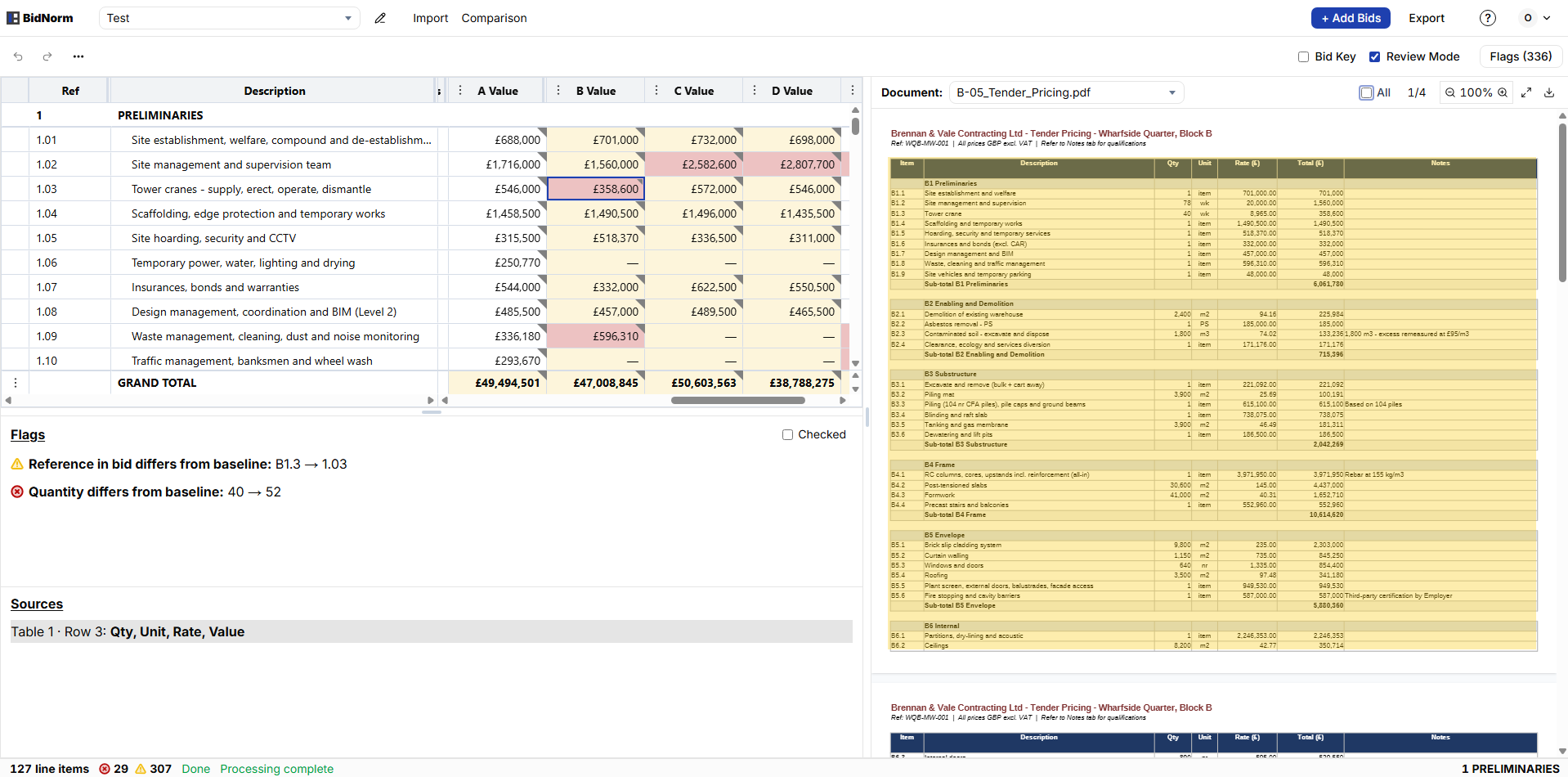
Totals first, then sections, then items. BidNorm does the lining up and the arithmetic, so every step is a check rather than retyping.
Every return's total sits side by side, checked against the tender sum the supplier stated. Arithmetic errors are flagged before you compare a single price.
Section subtotals line up across every return and reconcile against each supplier's own collection. A section priced well above or below the rest, or one that doesn't add up, is where to look.
Missing items, changed quantities and units, and qualifications are flagged on each row. One click opens the line in the original return.
Export the itemised comparison with section subtotals, flags and supplier notes, ready for your tender report.
Export the levelled comparison with section subtotals, flags and supplier notes. Add your adjustments and calculations, and finalise the report in the workbook you already use.
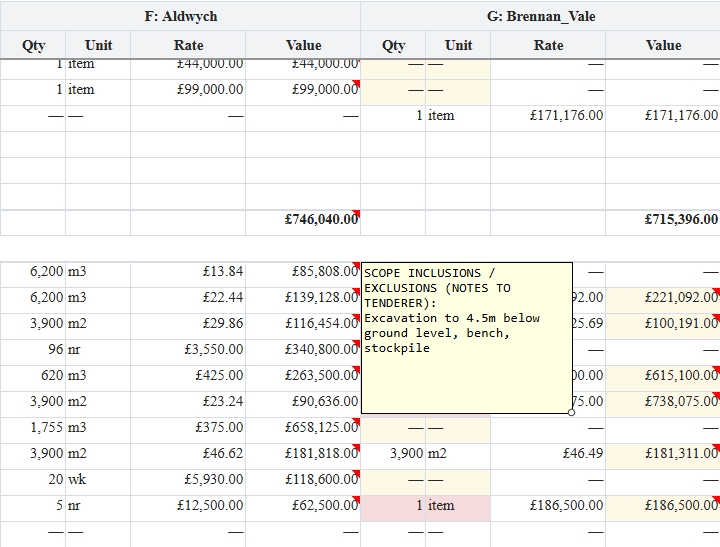
Your BoQ or pricing schedule as the baseline, then each priced return as it arrives, in Excel or PDF. Suppliers and subcontractors don't need a template: BidNorm reads the documents they send back.
Returns are matched to your items by reference and description, so changed numbering, reordered rows and reworded items still line up. Anything BidNorm can't place is kept in Unmatched with its source, never dropped.
Yes. Each line's quantity × rate is checked against its value, and every section subtotal and tender total is reconciled against the figure the supplier stated.
Open the source to check it against the return, then move the price to the right row or correct the value. Subtotals and flags update straight away.
Quantity surveyors analysing tenders against their BoQ, and estimators comparing subcontractor and supplier returns against their pricing schedule.
Get early access and see your own BoQ or pricing schedule and returns compared, item by item.