Tender levelling: Excel, ChatGPT or software?
Excel is fine for the final levelling sheet, but getting every return into it means retyping. ChatGPT or Claude can draft a comparison, but on a full tender it can't easily be checked. Levelling software lines the returns up, checks the sums and links each price to its source, then exports an Excel sheet to finish.
Excel
- Good at
- The levelling sheet itself: adjustments, formulas, any layout, and the appendix to the tender report.
- Slow at
- Getting there. Each return has to be typed or pasted onto the pricing schedule, item by item, and re-checked when a revised return comes in.
ChatGPT or Claude
- Good at
- A quick draft from one or two short quotes, and explaining a supplier's qualifications in plain words.
- Falls short on
- Full tenders with hundreds of prices. Rows get skipped or merged and figures misread without warning, and nothing links back to the supplier's document, so checking means going through the PDFs by hand.
Levelling software
- Good at
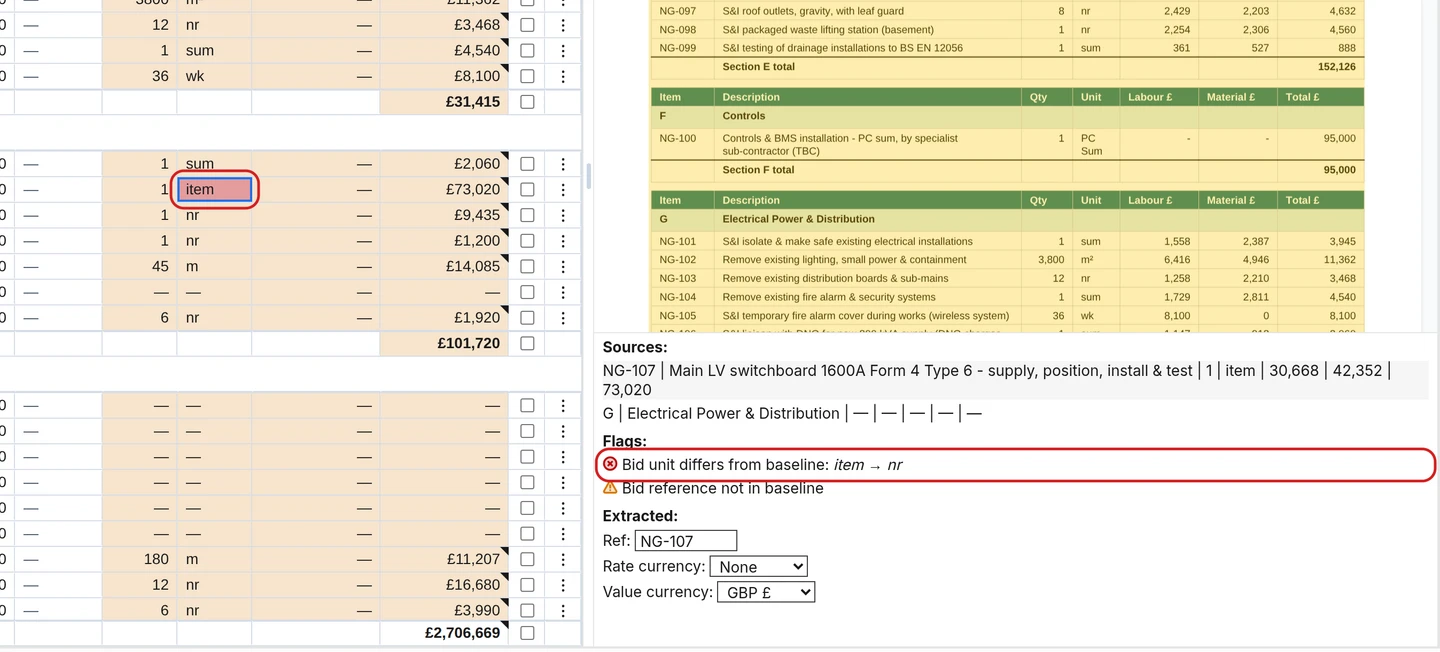
- Reading returns in the supplier's own format, placing every price on the pricing schedule, checking the sums, flagging omitted items and changed quantities, and keeping qualifications as notes on the prices they relate to, with each price linked to its source.
- Still needs a person for
- Judgement: pricing qualifications, deciding adjustments and the recommendation.
Which to use
For one or two short quotes, Excel or a chatbot is fine. For a package with three or more itemised returns against a pricing schedule, software saves the retyping and leaves a trail that can be shown. Most QSs end up using both: software to line up and check, Excel to finish.
Questions
- Can the comparison be exported to Excel?
- Yes. TenderNorm exports the comparison with the pricing schedule, each supplier's figures, live subtotal and total formulas, flags and notes.
- Is tender data used to train AI?
- Not by TenderNorm or the AI providers it uses.